


Was ist ein Etikettiergerät zum Drucken und Anbringen und wie funktioniert es?
Einführung
Früher bedeutete ein Etikett eines: ausdrucken, aufkleben, weitermachen. So funktioniert das nicht mehr wirklich.
Etiketten verfolgen jetzt die Produktion, steuern die Sortierung im Lager und werden direkt in Lieferkettensysteme eingespeist, was bedeutet, dass die Identifizierung genau da ist, wo die Arbeit beginnt und nicht dort, wo sie endet.
Ältere Etikettiermaschinen basierten auf einer festen, in der Hardware verankerten Annahme: Etiketten werden im Voraus in einem Stapel gedruckt und später angebracht – und das ist natürlich in Ordnung, solange sich nichts ändert. Aber Bestellungen verschieben sich, Chargen rotieren und die Versandziele können von Palette zu Palette und manchmal auch von Karton zu Karton unterschiedlich sein, und hier beginnt der alte Ansatz zu scheitern.
Hersteller sind damit ständig konfrontiert, da der Etiketteninhalt von einer Vielzahl von Variablen abhängt – der Kundenbestellung, der Produktcharge, Versandinformationen, Barcode-Spezifikationen, Rückverfolgbarkeitsregeln – und die Druckvorstufe mit dieser Fluktuation einfach nicht Schritt halten kann.
Eine Etikettiermaschine zum Drucken und Anbringen schließt diese Lücke. Es verbindet einen Industriedrucker mit einem automatischen Auftragungssystem, sodass das Drucken und Platzieren in einem Arbeitsgang erfolgt und nicht in zwei separaten Schritten, die sich gegenseitig behindern.
Der Ablauf läuft ungefähr so ab: Die Etikettendaten gehen ein, der Drucker spuckt das Etikett bei Bedarf aus, das Trägerpapier wird abgezogen und das Etikett landet auf dem Produkt oder der Verpackung, genau positioniert – ganz ohne Rätselraten.
Kein vorgedrucktes Material, das bei der Lagerung verstaubt. Es besteht kein Widerspruch zwischen dem, was letzte Woche gedruckt wurde, und dem, was heute tatsächlich auf den Markt kommt.
Diese Flexibilität zählt am meisten in Branchen, in denen der Inhalt von Etiketten die Reihenfolge der einzelnen Aufträge verändert – Logistik, Lebensmittelverpackung, pharmazeutische Herstellung, Kosmetik, chemische Produkte, Elektronik, das ganze Cluster.
Und insbesondere in der Pharmaindustrie ist eine um eine Ziffer verringerte Chargennummer kein kosmetischer Ausrutscher, den man einfach hintanstellt. Das ist ein Rückruf.

Was ist eine Etikettiermaschine zum Drucken und Anbringen?
Anstatt riesige Rollen vorgedruckter Etiketten zu verwalten, die beim Umschalten der Linie unweigerlich durcheinander geraten, übernimmt ein Druck- und Anbringungssystem den gesamten Prozess im Handumdrehen. Die Druckmaschine löst genau in der Millisekunde aus, in der ein Karton auf den Sensor trifft, brennt die variablen Daten auf das Material und schwenkt sofort den Applikatorarm nach unten, um das Etikett auf den sich bewegenden Karton zu stampfen oder zu blasen. Herkömmliche Geräte bewirken das Gegenteil. Zuerst werden Etiketten erstellt, manchmal Tage im Voraus, und dann angebracht, wann immer das Produkt erscheint. Es gibt keine Pufferzeit – was gedruckt wird, bleibt hängen, sodass kein Stapel veralteter Barcodes ungenutzt auf einer Rolle herumliegt und auf eine Produktcharge wartet, die sich im Vorfeld verzögern könnte. Ein Print-and-Apply-System löscht diese Trennung. Drucken und Auftragen erfolgen als ein kontinuierlicher Schritt, der zeitlich auf die Linie selbst abgestimmt ist.
Die Struktur läuft nacheinander ab:
Etikettensoftware
↓
Industriedrucker
↓
Etikettenapplikator
↓
Produkterkennung
↓
Etikettenanwendung
Die Software sendet die Daten. Der Drucker rendert es. Ein Sensor erkennt das durchlaufende Produkt – erst dann löst der Applikator aus und platziert das Etikett im richtigen Moment an der richtigen Position, auf dem richtigen Artikel.
Was gedruckt wird, variiert je nach Branche, umfasst jedoch typischerweise Folgendes:
- Produktinformationen
- Barcode
- QR-Code
- Chargennummer
- Ablaufdatum
- Seriennummer
- Versandinformationen
Ändern Sie die Chargennummer mitten im Lauf, und das nächste Etikett spiegelt dies wider. Keine angehaltene Linie, keine ausgetauschte Etikettenrolle – nur aktualisierte Daten, die dieselbe Sequenz durchlaufen.

Wie funktioniert a Drucken und Etikettiermaschinenarbeit anwenden?
Die Operation umfasst normalerweise 4 Hauptschritte.
1. Vorbereitung der Etiketteninformationen
Vor dem Drucken werden Etiketteninformationen mithilfe einer Etikettendesign-Software erstellt.
Zur gängigen Software gehören:
- BarTender
- NiceLabel
Betreiber können Vorlagen entwerfen, die Folgendes enthalten:
- Text
- Logo
- Barcode
- QR-Code
- Variable Felder
Ein Kartonversandetikett kann beispielsweise Folgendes enthalten: Kundenname, Produktnummer, Barcode, Lieferadresse, Bestellnummer.
Die Vorlage kann gespeichert und für zukünftige Bestellungen wiederverwendet werden.
2. Etikettendruck
Nach Erhalt der Etiketteninformationen erstellt der Industriedrucker das Etikett.
Die gebräuchlichste Technologie ist:
Thermotransferdruck
Der Drucker verwendet:
- Thermodruckkopf
- Band
- Etikettenmaterial
Der Druckkopf überträgt Wärme vom Farbband auf die Etikettenoberfläche.
Vorteile:
-
Hochauflösender Druck
-
Klare Barcodequalität
-
Langanhaltende Informationen
- Gute Abriebfestigkeit
Es wird häufig verwendet für:
-
Versandetiketten
-
Kartonetiketten
- Produktidentifikationsetiketten
3. Etikettentrennung
Nach dem Drucken gelangt das Etikett zum Abziehmechanismus.
Das Trägerpapier biegt sich um eine Abziehplatte und trennt so das Etikett vom Trägermaterial.
Prozess:
Bedruckte Etikettenrolle
↓
Schälplatte
↓
Etikett entfernt
↓
Applikator bereit
Anschließend wird das Etikett an das Applikationssystem übertragen.
4. Automatische Etikettenanwendung
Sobald das Etikett gedruckt ist, übernimmt der Applikator und platziert es auf dem Produkt, aber „der Applikator“ leistet in diesem Satz eine Menge Arbeit, da die Methode ziemlich unterschiedlich ist, je nachdem, was Sie tatsächlich etikettieren.
Tamponapplikator
Dieser drückt das Etikett mit einem mechanischen Pad, physischem Kontakt und einfacher Mechanik auf die Oberfläche. Funktioniert gut für Kartons, Schachteln und flache Verpackungen – denken Sie an die Etikettierung von Medikamentenschachteln als typisches Beispiel, bei der die Oberfläche vorhersehbar ist und sich nicht auf Ihnen bewegt.
Tamp Blow Applikator
Hier wird das Etikett mit einem Druckluftstoß übertragen, statt dass ein Tampon nach unten drückt, sodass überhaupt kein direkter Kontakt besteht. Daher ist es die bessere Lösung für unebene Oberflächen, empfindliche Produkte, die keinen Druck aushalten können, oder Linien, bei denen sich die Dinge schnell genug bewegen, dass eine Kontaktanwendung einfach vorbeigehen würde.
Schwenkarm-Applikator
Dieser schwenkt das Etikett auf die Seite oder Ecke eines Produkts und nicht auf die Oberseite – nützlich für Versandkartons, Ecketikettierungsarbeiten oder alles, wo Etiketten auf zwei Seiten benötigt werden, bei denen ein gerade nach unten gerichteter Applikator den Winkel einfach nicht erreichen kann.

Etikettiermaschine zum Drucken und Anbringen im Vergleich zu einer herkömmlichen Etikettiermaschine
Der Hauptunterschied besteht in der Etikettenquelle.
Traditionelle Etikettiermaschine
Prozess:
Vorgedruckte Etikettenrolle
↓
Etikettenapplikator
↓
Produkt
Das Etikett ist bereits vor der Produktion fertig.
Geeignet für:
- Stabile Produkte
- Große Produktionsmengen
- Feste Verpackungsdesigns
Etikettiermaschine zum Drucken und Anbringen
Prozess:
Leere Etikettenrolle
↓
Drucker
↓
Etikettenapplikator
↓
Produkt
Das Etikett wird während der Produktion erstellt.
Geeignet für:
- Mehrere Produkte
- Mehrere Kunden
- Variable Informationen
Arten von Druck- und Etikettieranwendungen
1. Karton bedrucken und etikettieren
Wahrscheinlich der häufigste Anwendungsfall da draußen. Es erscheint auf Versandkartons, Verpackungskartons und praktisch überall dort, wo ein Lager Produkte bewegen muss. 4×6 Versandetiketten, Barcode-Etiketten, Logistiketiketten, das Standardset. E-Commerce-Betriebe stützen sich stark darauf, ebenso wie Vertriebszentren und FMCG-Linien, vor allem weil das Volumen hoch ist und keine Zeit für manuelles Kleben bleibt.
2. Flaschendruck und Etikettierung
Kosmetikflaschen, Chemikalienbehälter, Lebensmittelflaschen. Überall dort, wo der Behälter rund oder unförmig ist und die darauf aufgedruckten Informationen tatsächlich von Bedeutung sind, etwa die Chargennummer, das Produktionsdatum oder ein Barcode, der beim ersten Mal korrekt gescannt werden muss.
3. Pharmazeutische Etiketten drucken und anbringen
Hier ist Genauigkeit kein Nice-to-have mehr. Seriennummern, DataMatrix-Codes, Chargeninformationen (Ein falsches Zeichen ist hier kein bloßer Fehler, sondern ein Compliance-Problem.) Aus diesem Grund koppeln Pharmalinien den Applikator normalerweise mit einer visuellen Inspektion, einem Auswurfsystem, das alles aussortiert, was ausfällt, und einer Track-and-Trace-Software, die unter dem Ganzen läuft.
4. Palettendruck und Etikettierung
Lagerhäuser und Logistikbetriebe verwenden dieses für Paletten-IDs, Versandinformationen und Barcodes – alles, was von einem Gabelstapler aus lesbar sein muss. Schwenkarm-Applikatoren bewältigen eine Menge davon, obwohl auch Roboter-Applikatoren auf dem Vormarsch sind, insbesondere wenn Paletten ungewöhnliche Formen oder Größen haben.
Festes Drucken im Vergleich zum Drucken variabler Daten
Ein Print-and-Apply-System kann verschiedene Druckmodi unterstützen.
Vorlagendruck behoben
Das Etikettenformat bleibt gleich.
Beispiel:
Ein Lohnfertiger produziert Etiketten für verschiedene Kunden.
Kunde A:
- Logo A
- Produktinformationen
- Barcode
Kunde B:
- Logo B
- Produktinformationen
- Barcode
Der Betreiber ändert bei einem Auftragswechsel die gespeicherte Vorlage.
Variabler Datendruck
Jedes Etikett enthält unterschiedliche Informationen.
Beispiel:
Produkt 1:
Seriennummer 000001
Produkt 2:
Seriennummer 000002
Produkt 3:
Seriennummer 000003
Anwendungen:
- Pharmazeutische Serialisierung
- Elektronikverfolgung
- Produktrückverfolgbarkeit
Vorteile der Verwendung eines Etikettiergeräts zum Drucken und Anbringen
1. Reduzieren Sie den Etikettenbestand
Hersteller benötigen keinen Lagerraum mehr, der mit verschiedenen vorgedruckten Etikettenserien und Kartons mit Etiketten für einen Kunden vollgestopft ist, der möglicherweise monatelang nicht nachbestellt. Ehrlich gesagt spüren Vertragshersteller dies am meisten – das Gleiche gilt für alle, die mit mehreren SKUs jonglieren oder kundenspezifische Bestellungen ausführen, bei denen eine falsche Schätzung des Lagerbestands entweder eine Verschwendung von Lagerbeständen oder ein Durcheinander bedeutet.
2. Verbessern Sie die Produktionsflexibilität
Kunden wechseln, Produkte wechseln – es bedeutet lediglich den Austausch der digitalen Vorlage, nichts ist dramatischer. Kein Nachbestellen gedruckter Etiketten, kein Warten in einer Druckerei, keine Mindestbestellmengen, die einer kleinen Sonderauflage im Wege stehen.
3. Verbessern Sie die Datengenauigkeit
Beim automatischen Drucken entfallen viele der manuellen Schritte, bei denen sich Fehler einschleichen, was wichtig ist, weil falsche Chargeninformationen, ein Barcode, der nicht gescannt werden kann, oder ein unter Zeitdruck von Hand angefertigter Etikettierzettel – das kommt bei einer stark ausgelasteten Leitung nicht selten vor, sondern ist das Standardrisiko, das Sie beseitigen möchten.
4. Unterstützen Sie die Rückverfolgbarkeit von Produkten
Das Drucken von Barcodes und QR-Codes fließt direkt in die Bestandsverwaltung, Produktverfolgung und Qualitätskontrolle ein – drei Dinge, die auf dem Papier getrennt klingen, sich aber tatsächlich auf dieselben zugrunde liegenden Daten stützen, die hier automatisch generiert und angewendet werden.
Wie wählt man das richtige Etikettiergerät zum Drucken und Anbringen aus?
Bevor Sie Geld für Ausrüstung ausgeben, gibt es ein paar Dinge, die es wert sind, zuerst geklärt zu werden, es sei denn, Sie haben Spaß daran, es auf die harte Tour herauszufinden.
1. Etikettengröße
Breite, Höhe und Material sind wichtiger, als die Leute erwarten, und ja, jeder denkt, sein Etikett sei „ziemlich Standard“, bis es das nicht mehr ist. Ein 4 x 6 Zoll großes Versandetikett und etwas Kleineres erfordern völlig andere Konfigurationen. Wenn Sie das Material falsch wählen, sagen wir Papier oder Synthetik, wird die Haftung auf der ganzen Linie zu einem kleinen Albtraum, und die Etiketten lösen sich ab wie bei einem schlechten Tattoo.
2. Druckanforderungen
Was eigentlich auf dem Etikett stehen muss. Barcode, QR-Code, Chargennummer, Seriennummer, variable Daten, die sich von Lauf zu Lauf ändern, die üblichen Verdächtigen. Es lohnt sich, dies zu klären, bevor Sie Geräte in die Hand nehmen, denn das Nachrüsten eines Druckers für Daten, für die er nicht ausgelegt ist, ist ein Problem, das sich niemand zweimal ansieht.
3. Anwendungsoberfläche
Flache Oberfläche, Seitenfläche, Ecke, zylindrischer Behälter – Sie haben die Wahl. Wo das Etikett landet, ändert sich, welcher Applikator sinnvoll ist: Tamper oder Schwenkarm oder etwas Ausgefalleneres. Das ist also nicht wirklich etwas, das man im Handumdrehen herausfindet, wenn die Linie bereits läuft.
4. Produktionsgeschwindigkeit
Produkte pro Minute, wie oft die Etikettierung tatsächlich erfolgt und wie schnell sich die Linie selbst bewegt. Wenn Sie diese Zahl niedrig halten, steht am Ende ein Engpass direkt an der Etikettierstation, was eine ziemlich ironische Art ist, eine Maschine zu verlangsamen, die Sie gekauft haben, um die Arbeit zu beschleunigen.
5. Kommunikationsanforderungen
Einige Einrichtungen müssen mit den größeren vorgelagerten Systemen kommunizieren und nicht nur ein Etikett drucken und aufkleben. ERP, MES, eine Datenbank, die Live-Auftragsdaten abruft, und so etwas. Wenn das auf Ihrer Liste steht, melden Sie es frühzeitig, denn nicht jede Maschine in der Werkstatt funktioniert problemlos mit dieser Art der Integration direkt nach dem Auspacken.
Warum wählen? ZONESUN Etikettierlösungen zum Drucken und Anbringen?
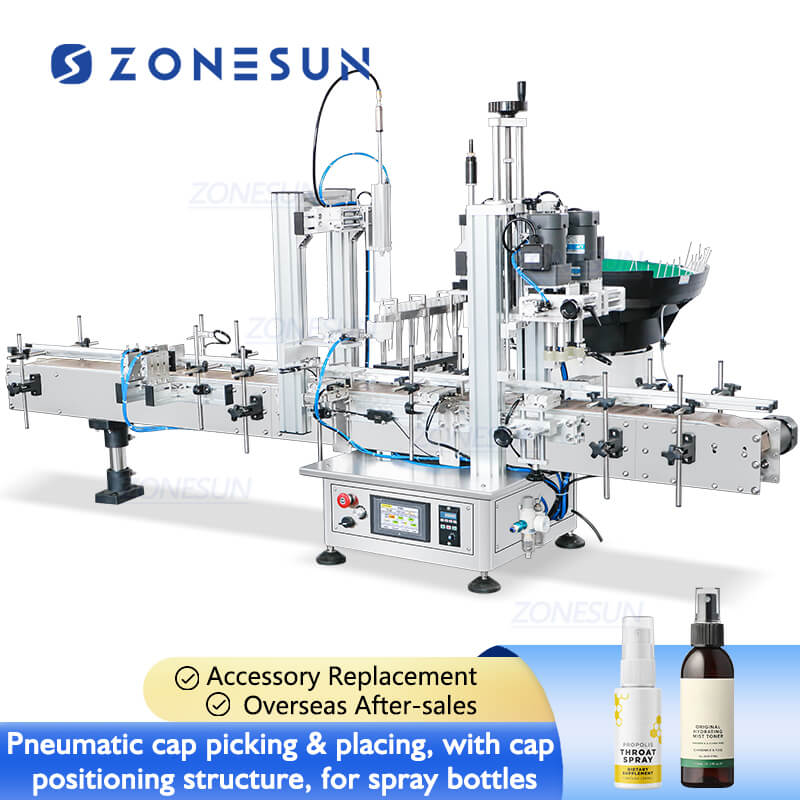
ZONESUN baut sich auf Etikettiermaschine zum Drucken und Anbringen Setups, die auf die Produktionsumgebung zugeschnitten sind, in der Sie tatsächlich arbeiten, und keine Einheitslösung, die von der Tür geliefert wird.
Die Systeme können mit einem Thermotransferdrucker, Barcode-Druck, QR-Code-Druck, einem Etikettenapplikator, Etikettenzählung, damit Sie wissen, was ausgegangen ist, einem Vorlagenspeicher zum schnellen Wechseln von Aufträgen und benutzerdefinierten Anwendungsmechanismen ausgestattet sein, wenn die Standardoptionen einfach nicht ausreichen.
Diese Aufbauten passen sich an Kartons, Flaschen, Schachteln, Behälter, Industrieverpackungen an, im Grunde alles, was auf dem Band ankommt, ob rund, flach oder sperrig.
Passen Sie die Druckmethode und das Anwendungssystem an die tatsächlichen Produktionsanforderungen an, und die Hersteller erhalten am Ende eine Etikettierung, die flexibler und viel weniger praktisch ist, was letzten Endes der Sinn und Zweck darin besteht, diese Dinge zu automatisieren, anstatt sie zu überwachen.
Fazit
Drucken und Etikettieren, zusammengefasst in einem automatisierten Durchgang. Das ist der entscheidende Unterschied, den ein Print-and-Apply-System im Vergleich zu herkömmlichen Systemen mit sich bringt, und ehrlich gesagt fühlt sich die Rückkehr zu vorgedrucktem Material ein bisschen an, als würde man ein Faxgerät verwenden, wenn man es einmal laufen sieht.
Der Vorteil zeigt sich am deutlichsten bei Herstellern, die mehrere Kunden, verschiedene Produkte, variable Etiketteninformationen und Barcode-Tracking-Anforderungen gleichzeitig unter einen Hut bringen müssen, was, seien wir ehrlich, heutzutage bei den meisten Herstellern der Fall ist.
Statische, vorgedruckte Etiketten können sich für diese Art von Variation einfach nicht schnell genug biegen, dafür sind sie nicht konzipiert. Ein Druck- und Etikettiersystem kann dies, da es jedes Etikett genau dann generiert, wenn die Produktion es tatsächlich benötigt, ohne dass man im Voraus raten und darauf hoffen muss, dass die Auflage übereinstimmt.
Kartonetikettierung, Flaschenetikettierung, pharmazeutische Verpackung, Palettenbetrieb – die Anwendung variiert je nach Auftrag. Aber ein Prinzip bleibt bestehen, egal was passiert. Drucker, Applikator und Software müssen zur tatsächlichen Produktionsumgebung vor Ort passen. Bei einer falschen Konfiguration erbringt selbst eine wirklich gute Maschine am Ende eine unterdurchschnittliche Leistung und hinkt dahin, anstatt ihren Lebensunterhalt zu verdienen.
Hinterlassen Sie einen Kommentar